
In-store Reporting For Restaurants & Hospitality
Your restaurant revenue with the daily Property Financial report
How is your restaurant performing today?
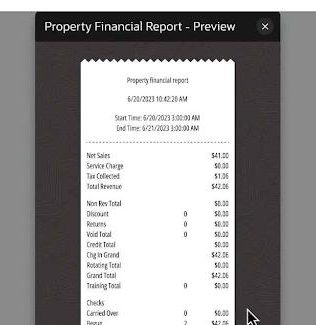
How do you do a financial analysis for your restaurant on any given day?
With this in-store-analytics-for-restaurants report, you can finally say goodbye to crunching numbers yourself. At the click of a button, you are able to get a quick overview of:
- net sales;
- offered discounts;
- order types;
- cash payments, and so much more.
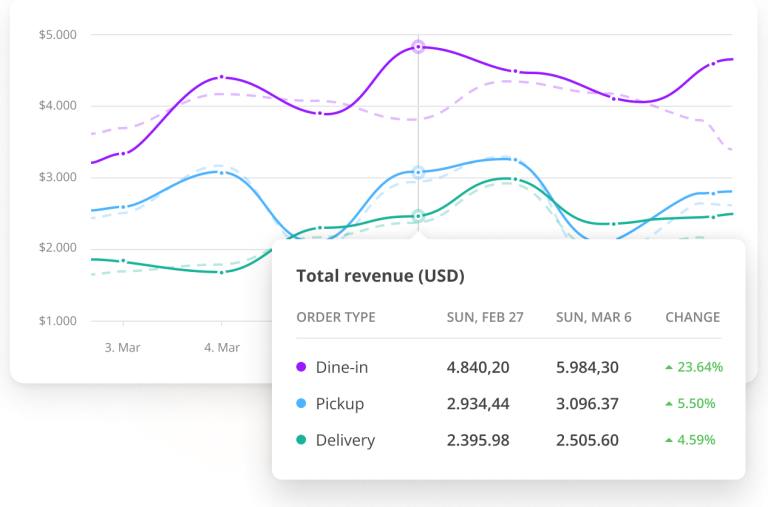
Use sales trends to determine your restaurant's next move
Discover what generates the biggest revenue in a given timeframe
Increase the average order value, by employing a variety of tactics, like upselling, offering meal deals and promos or bringing forth high-value items.
Monitor every change that you make & refine accordingly. This sales report will advise on your best-performing action items.
Reconcile transactions with the help of the Employee Financial report
Data Consistency
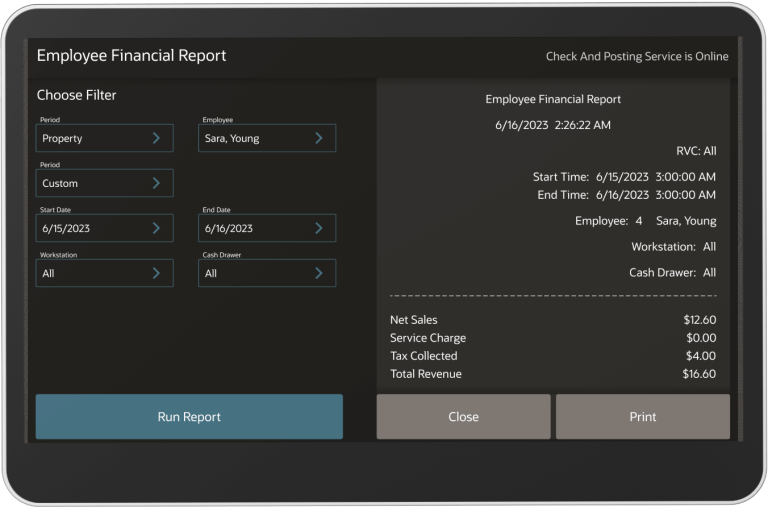
Understand your restaurant financial data, one employee at a time
How are your two main sales channels performing?
What is driving revenue? Reverse-engineer your business revenue success to sell even more.
See which channel is generating most of your sales, then pull that thread to discover:
- best performing order types (for example: dine-in, pick-up),
- preferred payment methods,
- most frequently ordered menu items.
Accurate Daily Reporting
Balance your daily sales data using the Employee Open Check report
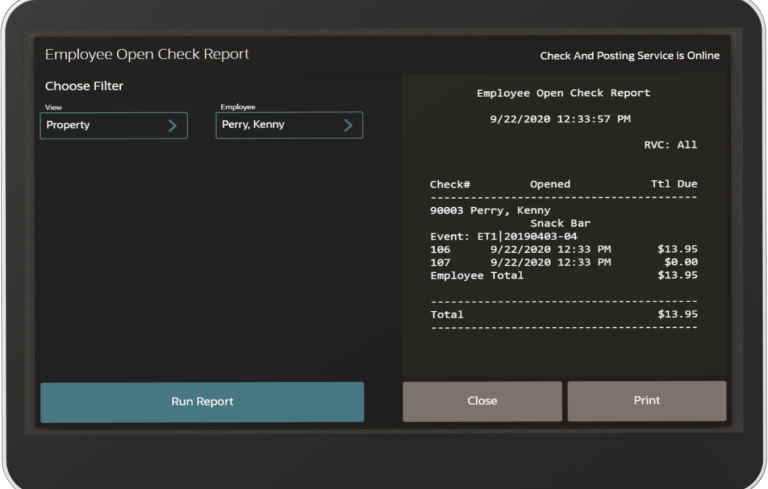
Settle your unpaid open checks, by the end of the work day
Carrying over open checks from one day to the next can feed your reports with inaccurate daily sales data.
Luckily, this report points out to all open checks that must be paid-in-full & closed prior to resetting the financial reports.
This way, you’ll benefit from a properly balanced & accurate sales report, each day.
Spot Fraud
Stop fraudulent activity with the Check Journal report
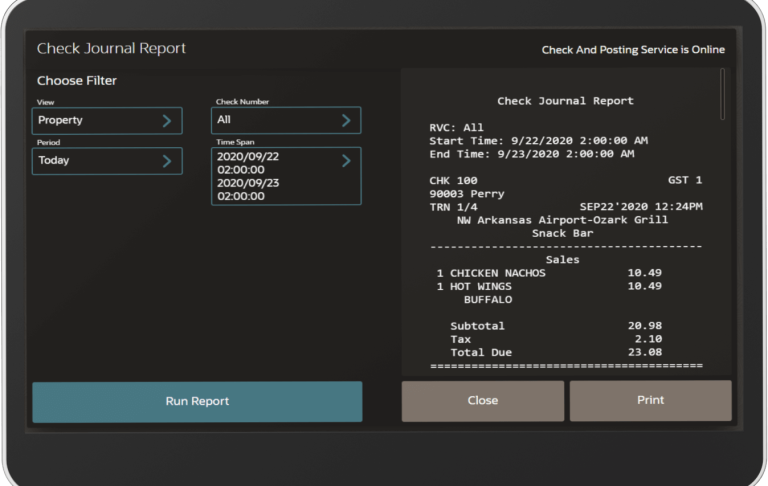
Your most trusted advisor in matters of financial security
This report shows you the entire set of events that took place when ringing up a sale for a particular check.
This is particularly useful when searching for fraud committed on the workstation.
Accelerate sales with the Family Group & Menu Item Sales reports
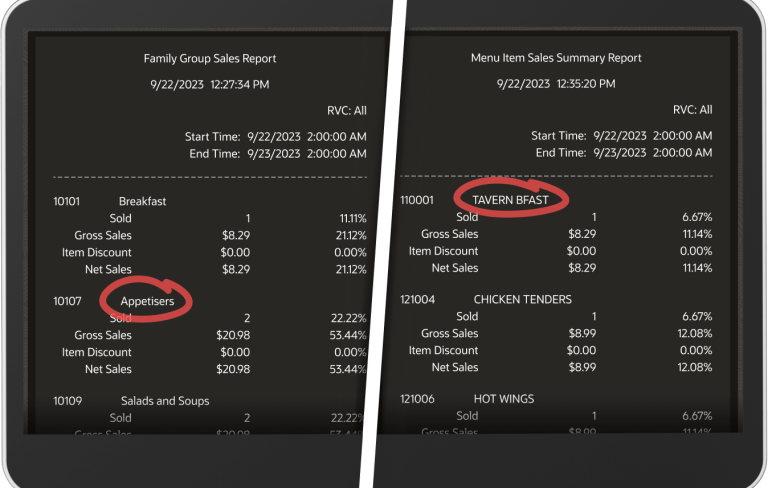
Quickly take a look at your most wanted menu categories & items within a given timeframe. And then optimize your menu for a bigger return on investment.
Start by taking a look at your Family Group Sales report (i.e., Appetizers, Beer, etc.), then break it down by Menu Item, to discover what generates your biggest sales.
What are your bestselling menu categories & items?